

While everyone was putting out the latest PHP fires, Java got a vulnerability of its own, rated CVSS 9.1 for every supported JDK release.
Java’s own code is fine, and nobody can use this flaw to run code remotely in your JVM. The problem is one of the certificate authorities the JDK trusts by default: eight of its intermediate certificates had private keys that can be recovered in a fraction of a second.
What actually happened
Every JDK ships with cacerts, a list of certificate authorities it takes at
their word. One of them is emSign ECC Root CA - G3 from the Indian company
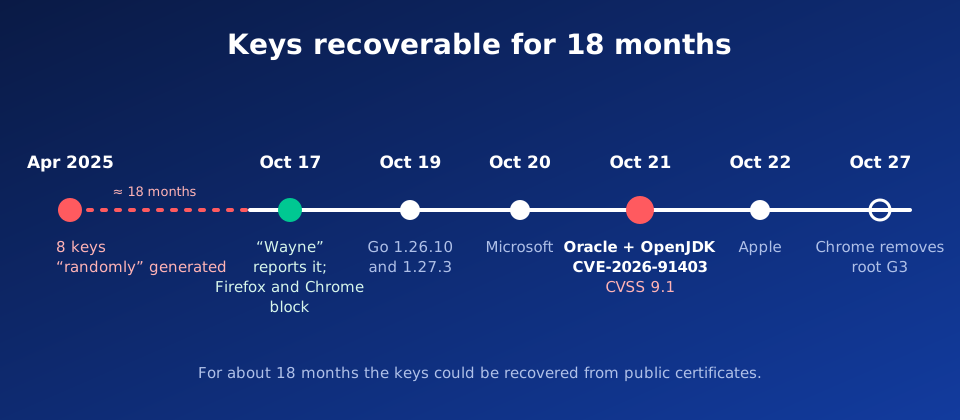
eMudhra. In April 2025 eMudhra generated eight intermediate certificates
under it: six for issuing TLS certificates and two for code signing.
A private key on the P-384 curve should be a random 384-bit number. All eight eMudhra keys had a value below 256, so each fit in a single byte. One of them was 4, the others included 56, 66, 115, 155, 156, 230 and 237.
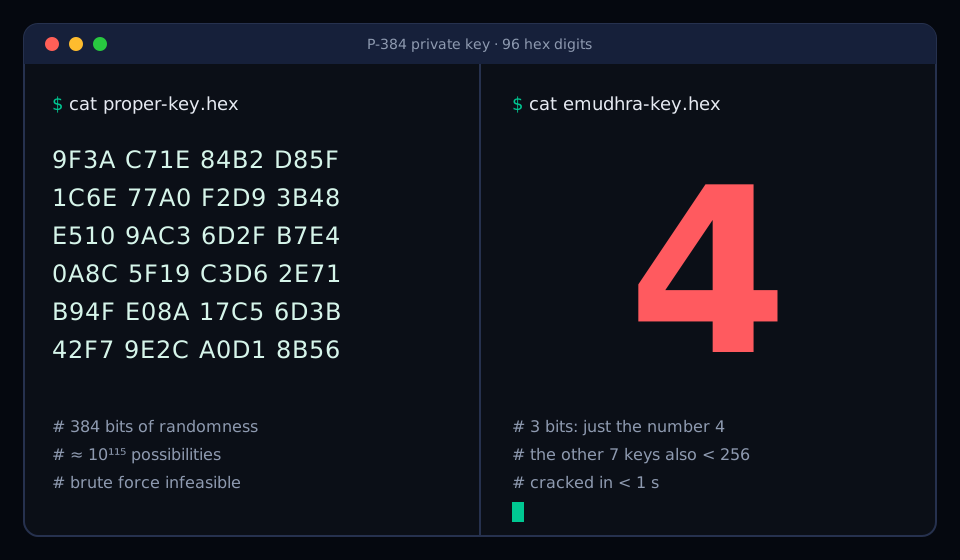
Security researcher Scott Helme recovered all the keys from the public certificates in under a second, since there were only 256 possible values to check.
The issue was reported on October 17 by a researcher going by “Wayne”. As proof, they signed the message “We have a problem here” with each of the eight keys and published the signatures together with the certificates at emudhra.we-have-a-problem.com.
What an attack could look like
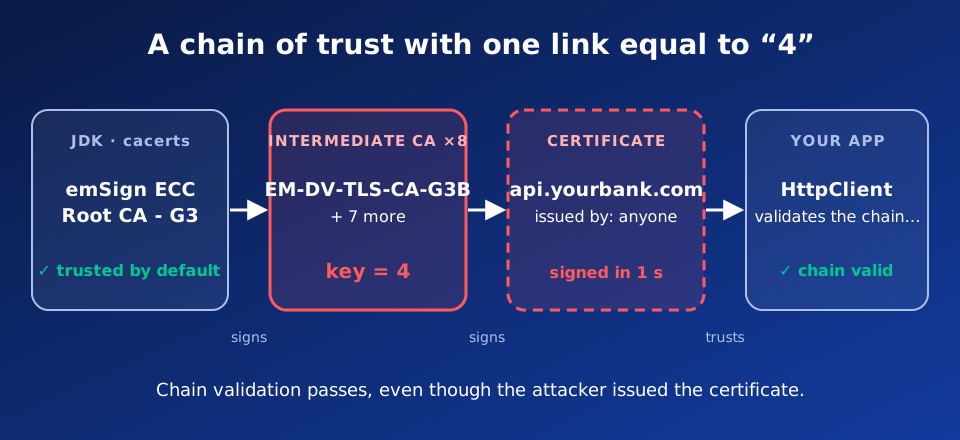
Anyone who knows an intermediate CA’s private key can issue a valid certificate
for any domain, such as your bank, repo.maven.apache.org or your company
Keycloak. Chain validation passes, because the chain ends at a root in
cacerts.
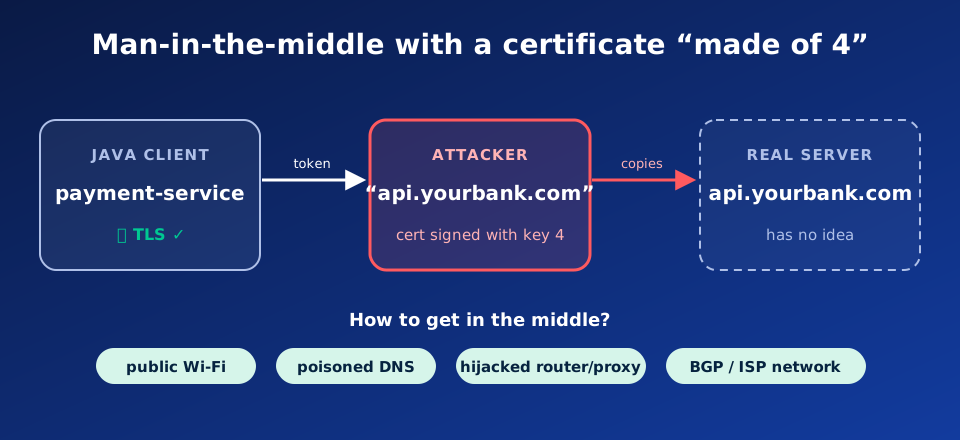
The attacker still needs a position between your application and the server: public Wi-Fi, poisoned DNS, a hijacked router or a proxy on the corporate network. The TLS handshake then completes without errors, and all traffic, authentication headers included, reaches the attacker in plaintext.
What is exposed
The TLS client is at risk: your Java code that makes outbound connections and uses the default truststore. A server that only presents its own certificate is not affected.
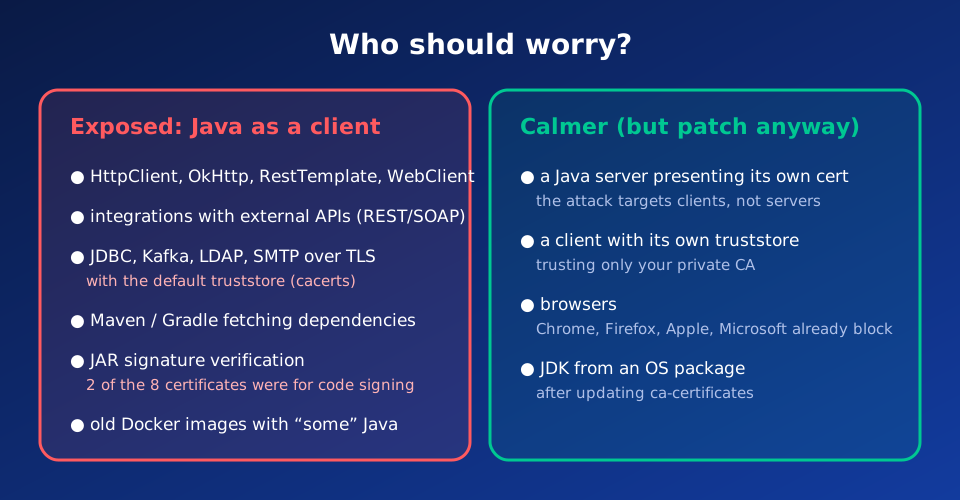
Two of the eight certificates were meant for code signing. A JAR signed with one of them passes signature verification as coming from a trusted publisher.
Oracle and cve.org rate it CVSS 9.1 (OpenJDK advisory), while Red Hat gives it only 6.8, because the attack requires a man-in-the-middle position. Whatever the score, you need to update.
How to patch fast
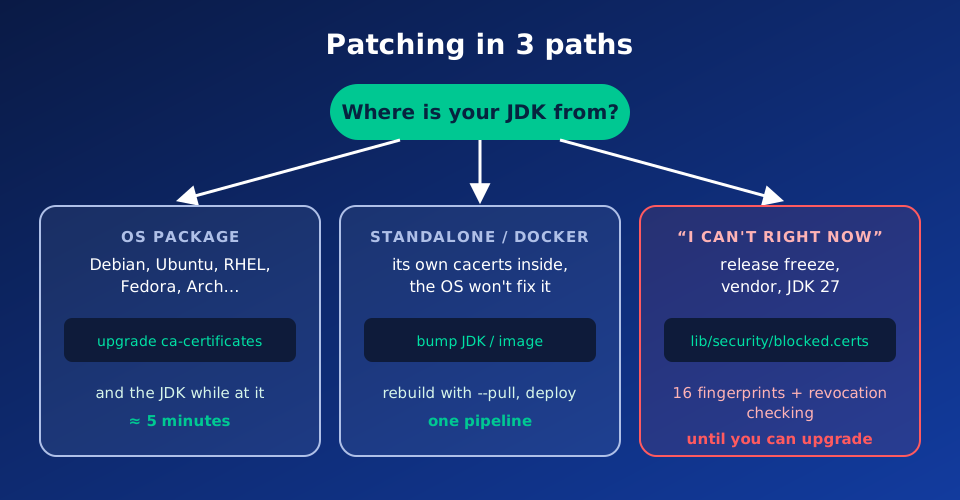
1. JDK from an OS package
On Debian, Ubuntu, RHEL, Fedora, Arch or Gentoo, Java uses the system
certificate store, so according to OpenJDK updating ca-certificates is
enough. It is worth updating the JDK itself to the latest version while you
are at it.
sudo apt update && sudo apt install --only-upgrade ca-certificatessudo dnf upgrade ca-certificates2. Standalone JDK and Docker images
JDKs downloaded from the web and base images carry their own cacerts, which
a system update does not cover. This also applies to JDKs from Homebrew on
macOS. Update the JDK and rebuild images with --pull. Patched versions:
| Line | Oracle | Azul Zulu |
|---|---|---|
| 8 | 8u511 | 8u512-b08 |
| 11 | 11.0.33.0.2 | 11.0.33+9 |
| 17 | 17.0.21.0.2 | 17.0.21+9 |
| 21 | 21.0.13.0.2 | 21.0.13+9 |
| 25 | 25.0.5.0.2 | 25.0.5+8 |
3. Can’t update right now?
This workaround is only temporary. Download the blocked.certs file with 16
fingerprints (the eight certificates and their cross-signs) from OpenJDK and
use it to replace the file in $JAVA_HOME/lib/security/. If your current
blocked.certs has entries of its own, add them to the new file first. On
JDK 8 the file is called blacklisted.certs. The certificates have already
been revoked, so also turn on revocation checking:
-Dcom.sun.net.ssl.checkRevocation=true -Dcom.sun.security.enableCRLDP=trueFinally, check the JDKs on your servers and CI agents with emudhra-emsign-check.
Sources: OpenJDK Vulnerability Advisory · Red Hat: CVE-2026-91403 · The Register · emudhra.we-have-a-problem.com · The Hacker News